Learn how to add an Open Nebraska course attribute.
Add an Open Nebraska Course Attribute:
Watch this video to learn how to add a Open Nebraska Course Attribute:
Step-by-Step Guide on Adding Open Nebraska Course Attribute
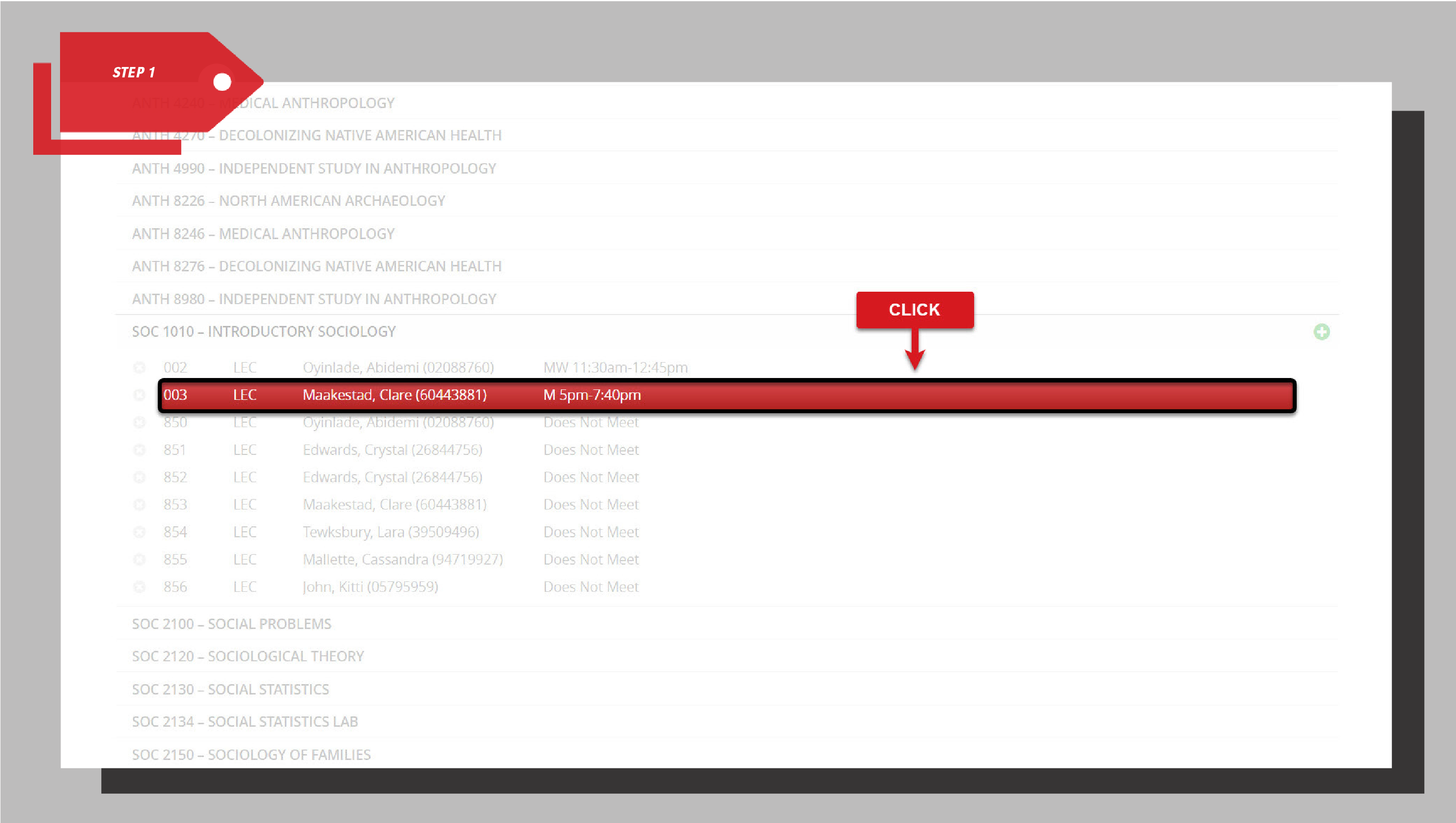
Step 1: Select your course section from the dropdown menu.
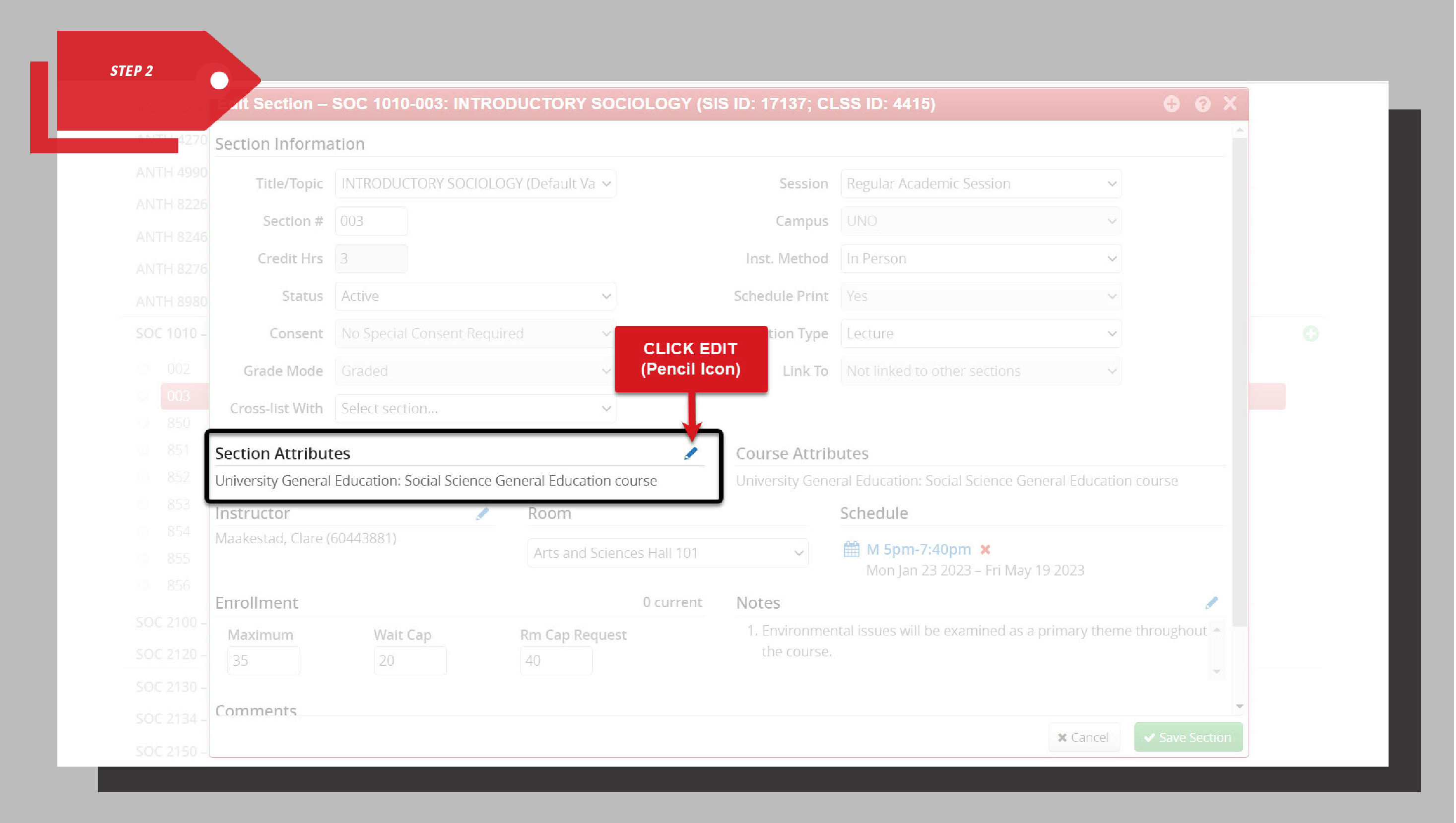
Step 2: Click the edit icon (pencil icon) next to Section Attributes.
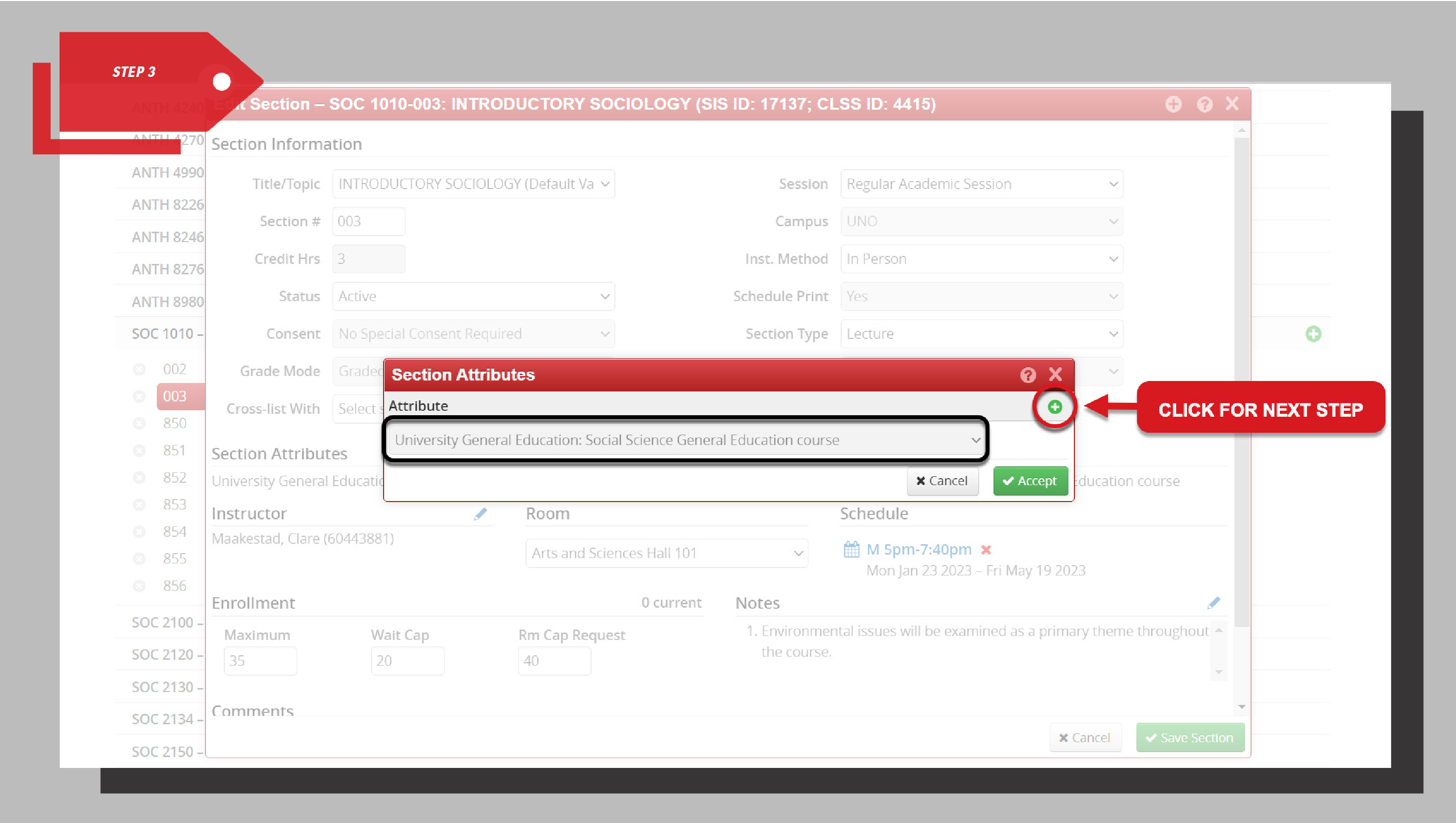
Step 3: Click the green plus symbol to add a new attribute.
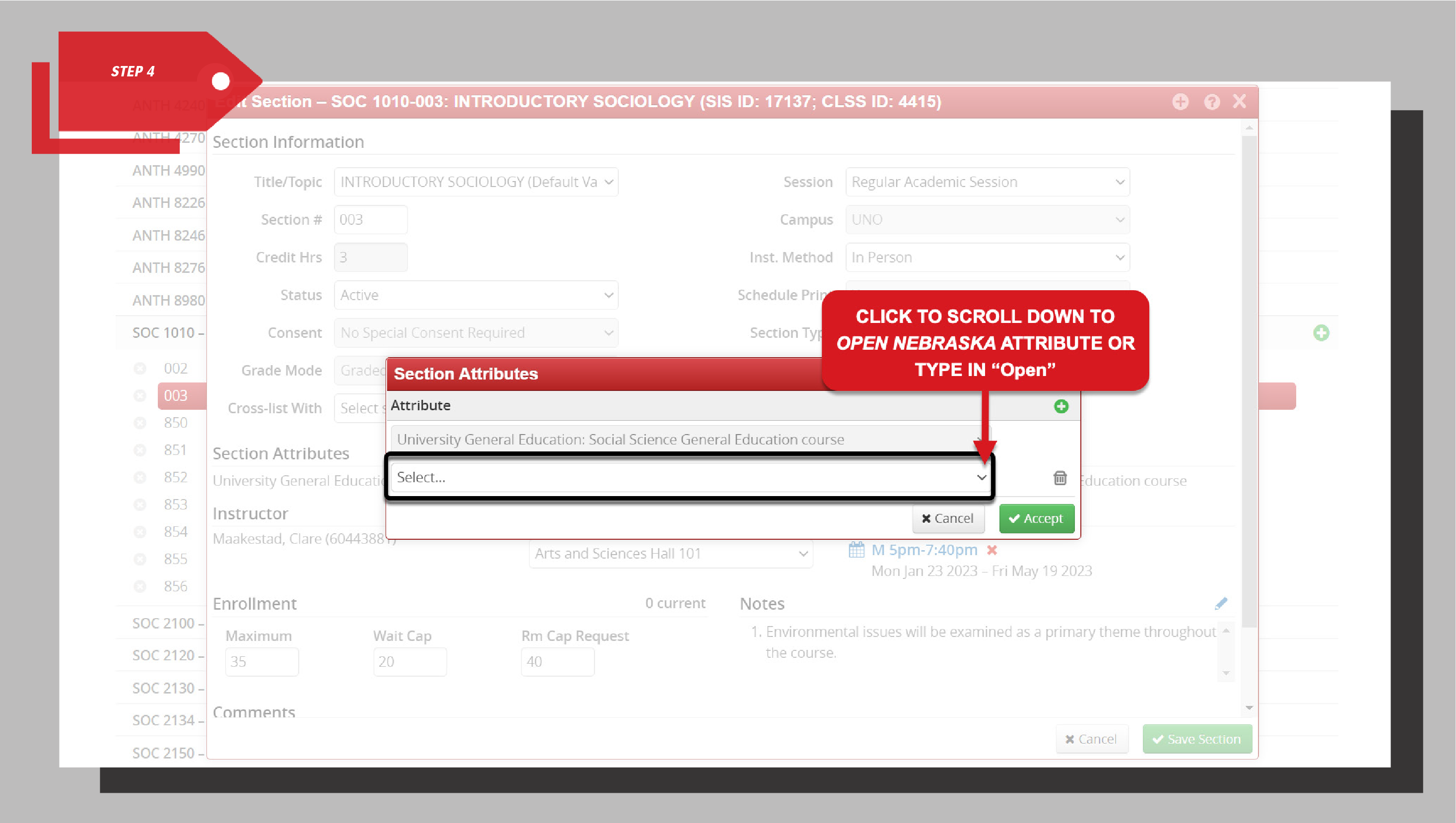
Step 4: Use the dropdown menu to scroll to Open Nebraska, or begin typing “Open” to find it.
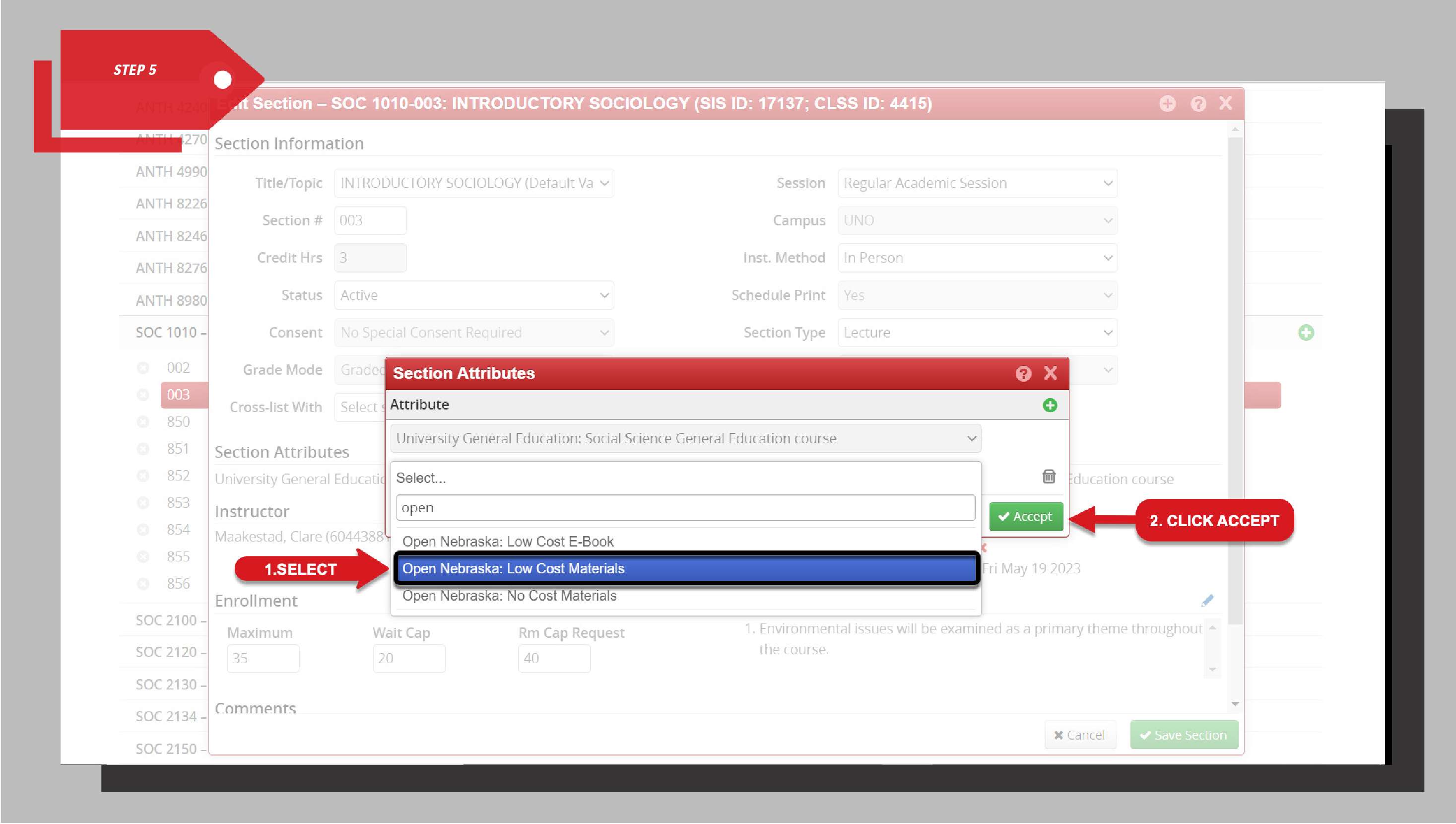
Step 5: Select Open Nebraska: and choose the appropriate attribute (No-Cost, Low-Cost, or Low-Cost eBook), then click Accept.
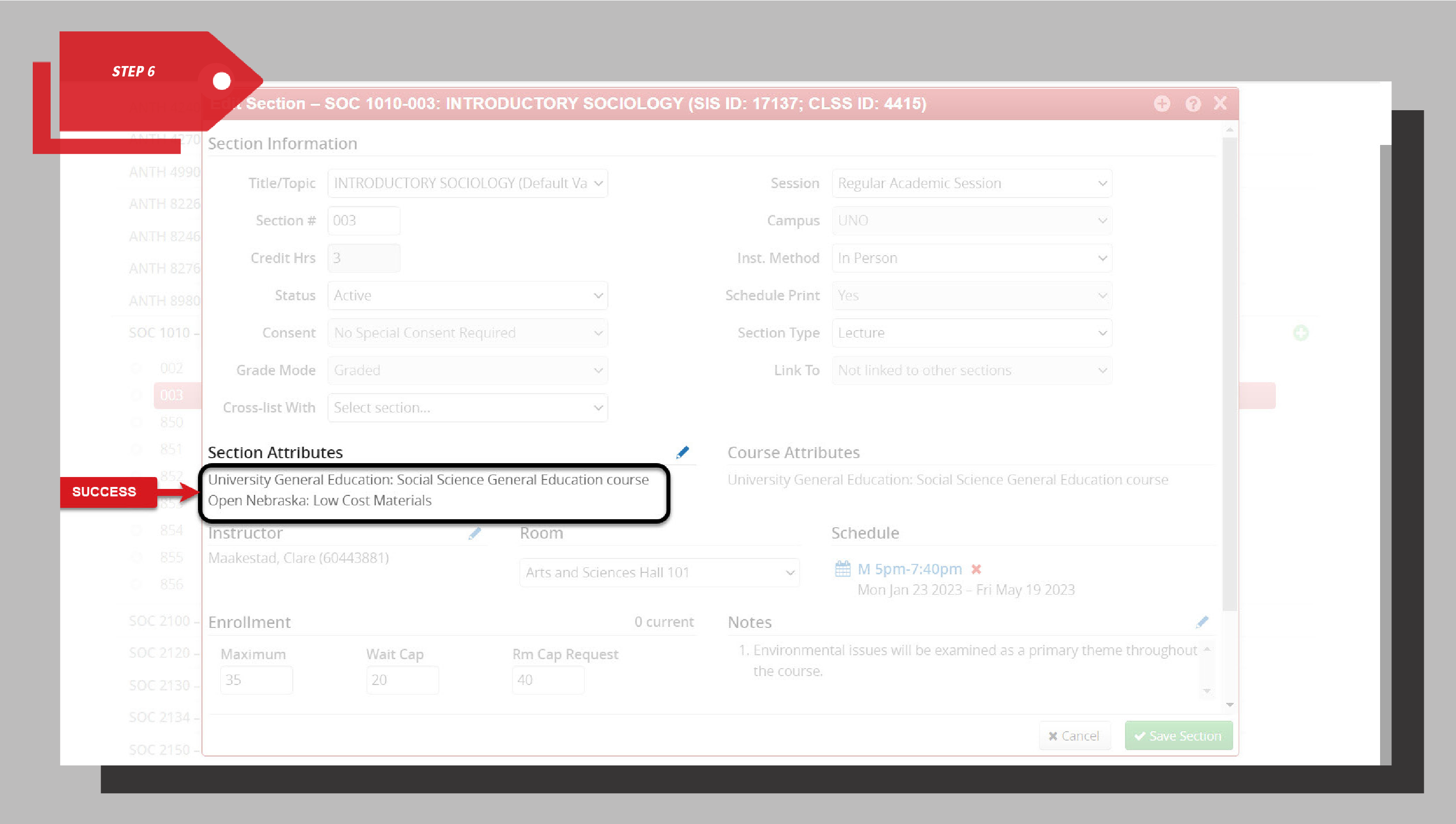
Step 6: Under Section Attributes, confirm that your Open Nebraska designation now appears.