

How Do I Find Courses With Affordable Content?
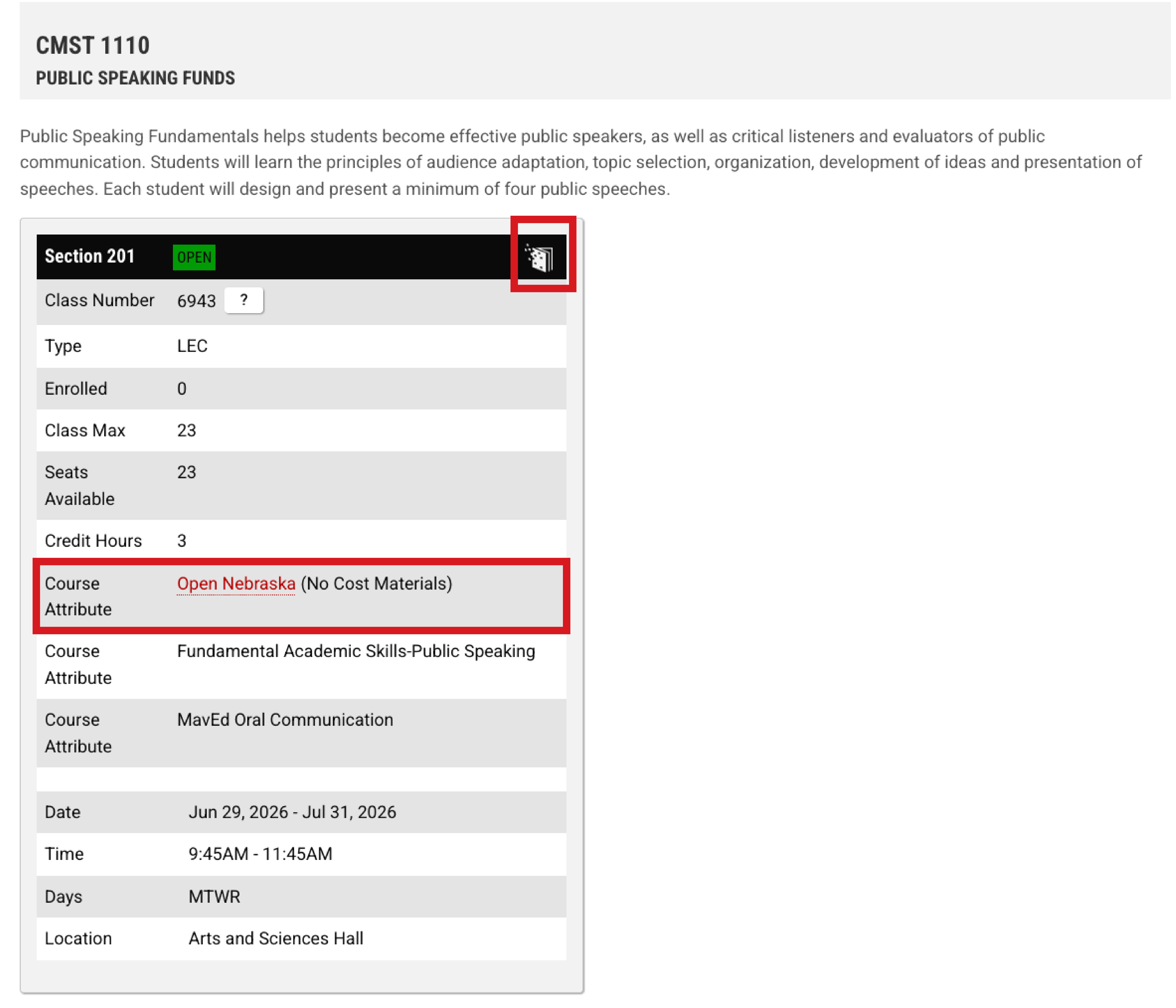
Finding courses with affordable materials is easy—and you can do it before you register. Open Nebraska courses are marked directly in the class search, so you can see which sections use no-cost or low-cost materials while planning your schedule.
Please watch this short video to learn about the Open Nebraska course tagging system:
What to Look For
When searching for classes, filter by the Open Nebraska course attribute.
Courses with this designation use materials that cost nothing — or less than $40 — for the semester.
You may see one of the following labels:
- No-Cost Materials
- Low-Cost Materials
- Low-Cost eBook
These labels help you compare options at a glance.
Why It Matters
Choosing Open Nebraska courses can help you:
- Save money on textbooks
• Get access to materials on the first day of class
• Plan your semester costs more accurately
• Focus on learning, not last-minute purchases
Affordable materials don't change course expectations—they remove financial roadblocks.
Alternate Search for Open Nebraska Course Materials
- Go to the campus Class Search
- Select Open Nebraska as a course attribute under “program to include.”
- Review sections marked no-cost or low-cost.
Learn More
Watch the short video below to see how Open Nebraska course tags appear during registration:
Looking to build a schedule that keeps costs low across multiple semesters? Explore Open Nebraska Pathways to see programs designed with affordability in mind.