

How to Make an Appointment
Not sure how to make an appointment? Read the quick guide below!
To make an appointment, you'll need to register for an account with our online scheduling website.

How to Register
- Click “Register for an account”
- Fill out the Registration Form (Must use @UNO or @UNMC email)
How to Make Appointments
- Log into WCOnline.
- Select your preferred day, time, staff or resource, and meeting type.
- Click the blue “Find Appointments” button to see availability.
- Select a “Perfect Match” appointment if one is available. You will also be shown any appointments that are a “Close Match.”
- Click the blue “Reserve” button on the appointment you want.
- Complete the “Create New Appointment” Form. Be sure to click the blue “Create Appointment” button.
- You will receive an email confirmation and a reminder prior to your appointment.
- If you scheduled an online appointment, you will need to log into WCOnline before your appointment time. In the upper left, you will find your appointment on the “My Schedule” drop-down. Select your appointment time. Click the red “Start or Join Online Consultation” button to begin your appointment.
Online Appointments
We strive to have our online sessions offer the same quality assistance as in-person sessions. However, there are some challenges with online sessions, including technical difficulties. If you experience issues with our scheduling system before or during a session, please email unowritingcenter@unomaha.edu We will work around such issues as best we can.
At your appointment time--or shortly before--log into our system and join your session by clicking your appointment time and START OR JOIN ONLINE CONSULTATION. You will have the option of using audio/video; make sure you have a working webcam, microphone, and high-speed internet connection if enabling audio/video.
Because online sessions take place within and utilize our online schedule system, you will not need Skype, IM, Google, or any other platform/software. As with face-to-face appointments, both the consultant and client are present during the entire appointment for online appointments. Writers may upload writing prior to appointments; this is intended to help both consultant and writer access that writing during appointments. Consultants will not read writing in advance.
During your appointment, the consultant will write comments within the text and in the “chat” column on the screen. These comments will be available for you to refer to after your appointment.
Scheduling Appointments
Our appointment schedule is available for the entire semester; make your appointments as far in advance as possible. The schedule fills up as the semester progresses.
All appointment times are available to all UNO and UNMC students and faculty. To schedule an appointment at any location, including online, select the schedule on the registration page or from the dropdown menu once you have logged in:
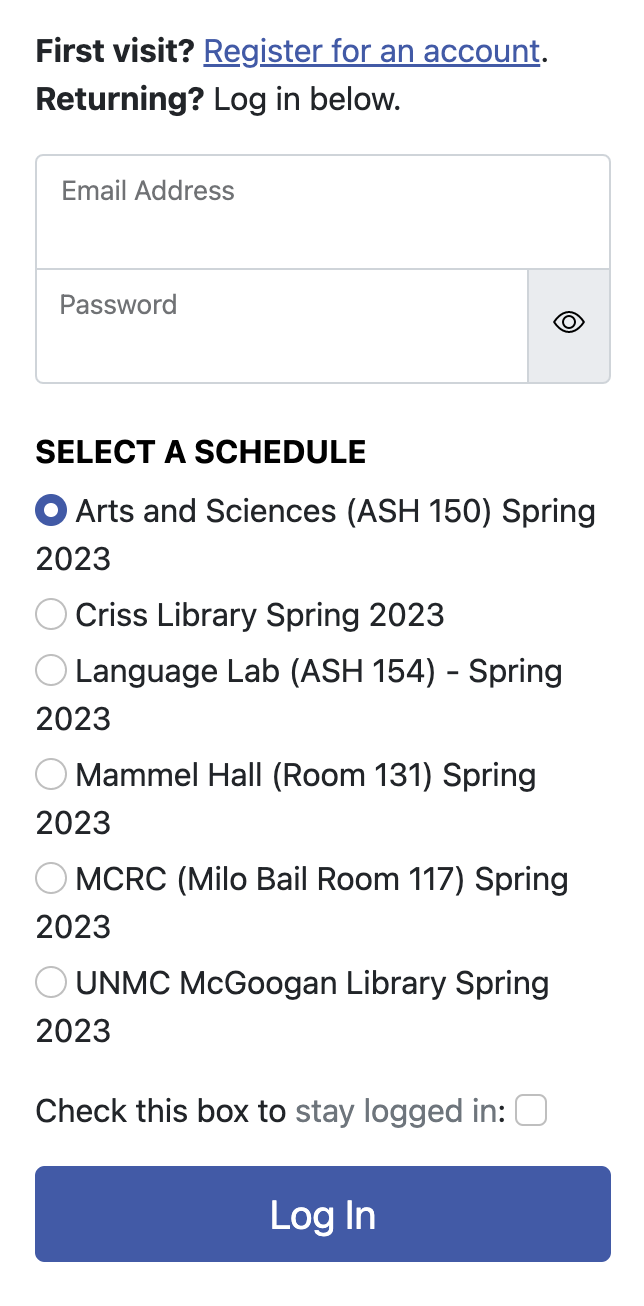
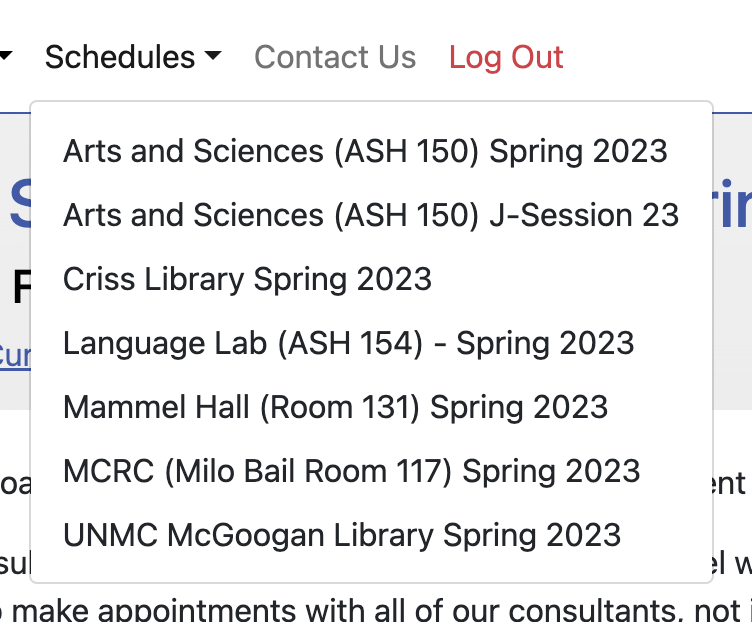
The Language Lab is available only to UNO students who want to work on English fluency. For specific writing assignments, appointments must be made with the Writing Center.
Client Report Forms
Writing consultants summarize sessions and offer advice via Client Report Forms. These are intended to help writers as they revise. Consultants are happy to send reports to instructors, advisors, parents, etc. upon request. To have a report shared, select “Yes” on your appointment form and include the full email address (or addresses). If you do not receive a client report form via email, please contact the UNO Writing Center.